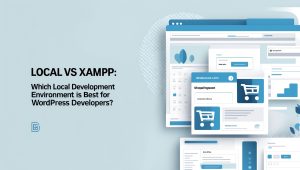
Local vs XAMPP: Choosing Your Local Development Environment
When venturing into the choppy waters of web development, the choices can boggle the mind. It’s like standing in front of a vast buffet: do you load your plate with arrayed options or cautiously select just a few? Today, I stand before you with two dishes that tantalize the palate of budding developers: Local and XAMPP. Both claim to nourish your local development desires, but which one truly deserves a spot on your plate? 🤔
Getting Started with Setup
Let’s begin with the basics of setting up a local development environment. Both Local and XAMPP provide free access, making them popular amongst developers who often toil away under the moonlight of coding.
The Charm of Local
To dive into Local, start by downloading the version that matches your operating system from their official site. After that, the installation process is as smooth as butter on warm toast. You’re greeted by an interface with prompts that feel more like an early ‘90s cartoon network than a development tool. You simply agree to some terms and conditions, and voilà—you’re in!
Once launched, you’ll be prompted to create a new site. Just click ‘Create a New Site’, name it, select your domain, and you’ll be elbow-deep into choosing between a Preferred or Custom environment. Prefer simplicity? A click here and you’ve got WordPress installed automatically, your admin credentials ready for entry. Easy as pie, right?
The Complexity of XAMPP
In contrast, the XAMPP setup is akin to assembling flat-pack furniture without instructions. After downloading the requisite version, you’ll open the control panel to manually choose components like Apache, MySQL, PHP, and Perl. Let’s not sugarcoat it: this is for those who revel in their technical prowess. You are the master of your server environment—if you can successfully orchestrate it!
After the installation, the next steps lead you to launch Apache and MySQL services like an overzealous magician trying to pull a rabbit out of a hat. You’ll have to manually download WordPress and meticulously place it in the htdocs folder of your XAMPP setup before diving into phpMyAdmin to establish your database. It’s a hands-on approach that may intimidate newcomers but promises a sense of control that others might find indulgent.
Creating Development Sites: A Tale of Two Approaches
Once you’ve navigated the initial hurdles, it’s time to create your first development sites. Here’s where the divergence becomes evident.
Local’s Simplicity
Creating a site in Local is straightforward. You click that glorious “Create a New Site” button, enter a name, specify the local domain, and then—you’ve already guessed it—choose your environment. It’s efficient; choose Preferred for a quicker route, or Custom if you want more control. In mere moments, you’re ready to jump into WordPress. It’s like having a magic wand that instantly conjures your kingdom from nothing.
XAMPP’s Manual Method
In the XAMPP corner, you’ll find the process more akin to sculpting with clay. After firing up the control panel, you wrestle with PHPMyAdmin, manually downloading WordPress and orchestrating each step of setup, paralleling the meticulous precision of a ballet. But remember, this diligence yields a profound understanding of how your site operates beneath the surface.
Importing Existing Sites: A Different Flavor
When it comes to importing an existing site, Local pulls ahead with straightforward functionality.
Local’s Intuitive Import
For current WP Engine or Flywheel users, the Connect feature allows you to easily navigate site migration. You can simply log into your account and transfer files directly. It’s akin to plugging in your favorite playlist and letting the music play. Even manual imports simply require a neat little zip file containing your SQL database and wp-content directory, easy pickings for Local.
XAMPP’s Hand-Holding Approach
Conversely, XAMPP demands more finesse. You’ll find yourself exporting your WordPress database and compressing files, more like preparing an intricate blueberry tart than a basic cookie. This method is rewarding, I think, for those who embrace the challenge, but it can feel overwhelmingly detailed for the uninitiated.
User Experience: Who Comes Out on Top?
The user interfaces of Local and XAMPP reinforce the differences in target audiences.
The User-Centric Design of Local
Local offers a streamlined, intuitive interface. It’s neatly divided into sections—Sites, Blueprints, and Add-ons—making site management a fluid experience worthy of applause. Everything from site details to SSL status is accessible at a glance. If you can smooth out issues like a seasoned ship captain navigating through troubled waters, you’ll relish the ease Local provides.
XAMPP: The Control Panel Behemoth
XAMPP, on the other hand, prioritizes a control panel-centric user experience. Yes, you can manage Apache and MySQL with ease, but if you desire site-specific management, prepare for manual editing and command-line navigation.
Conclusion: So, Which Should You Choose? 🍰
As we weigh the pros and cons, it becomes glaringly apparent that if you’re a WordPress developer, Local is the clear victor. Its user-friendly interface, robust community support, and one-click installations are a warm embrace for developers who value simplicity. XAMPP, while rich in flexibility and technical control, demands a deeper understanding of server management that might deter the novitiate.
So, which will it